
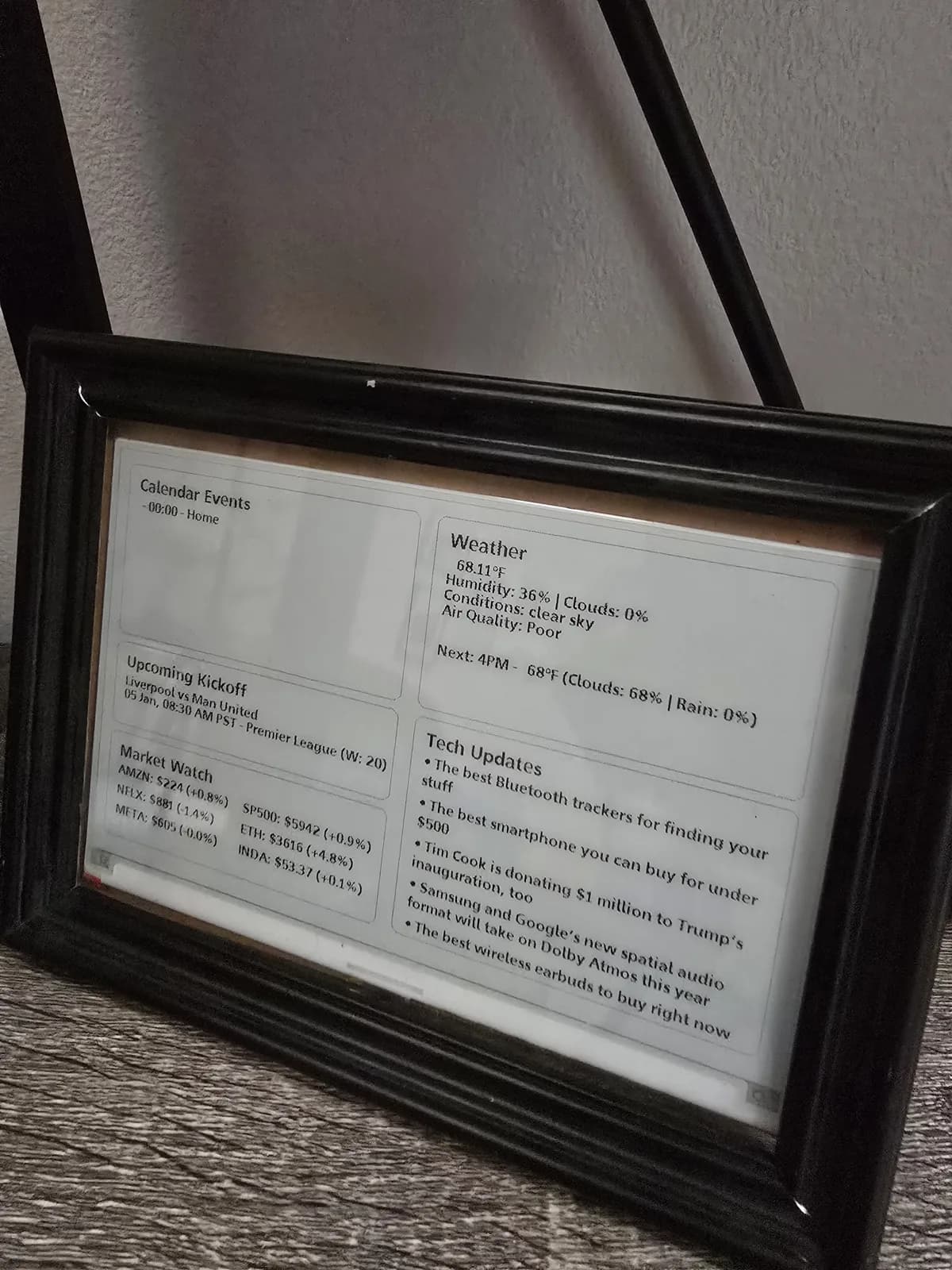
Built a low-power dashboard implementation using Raspberry Pi Zero WH and Waveshare 7.5" E-Ink display (800x480), mounted in a repurposed 5x7 frame. Aggregates data from multiple APIs to display calendar events, weather, market data, and sports information.
Hardware Configuration
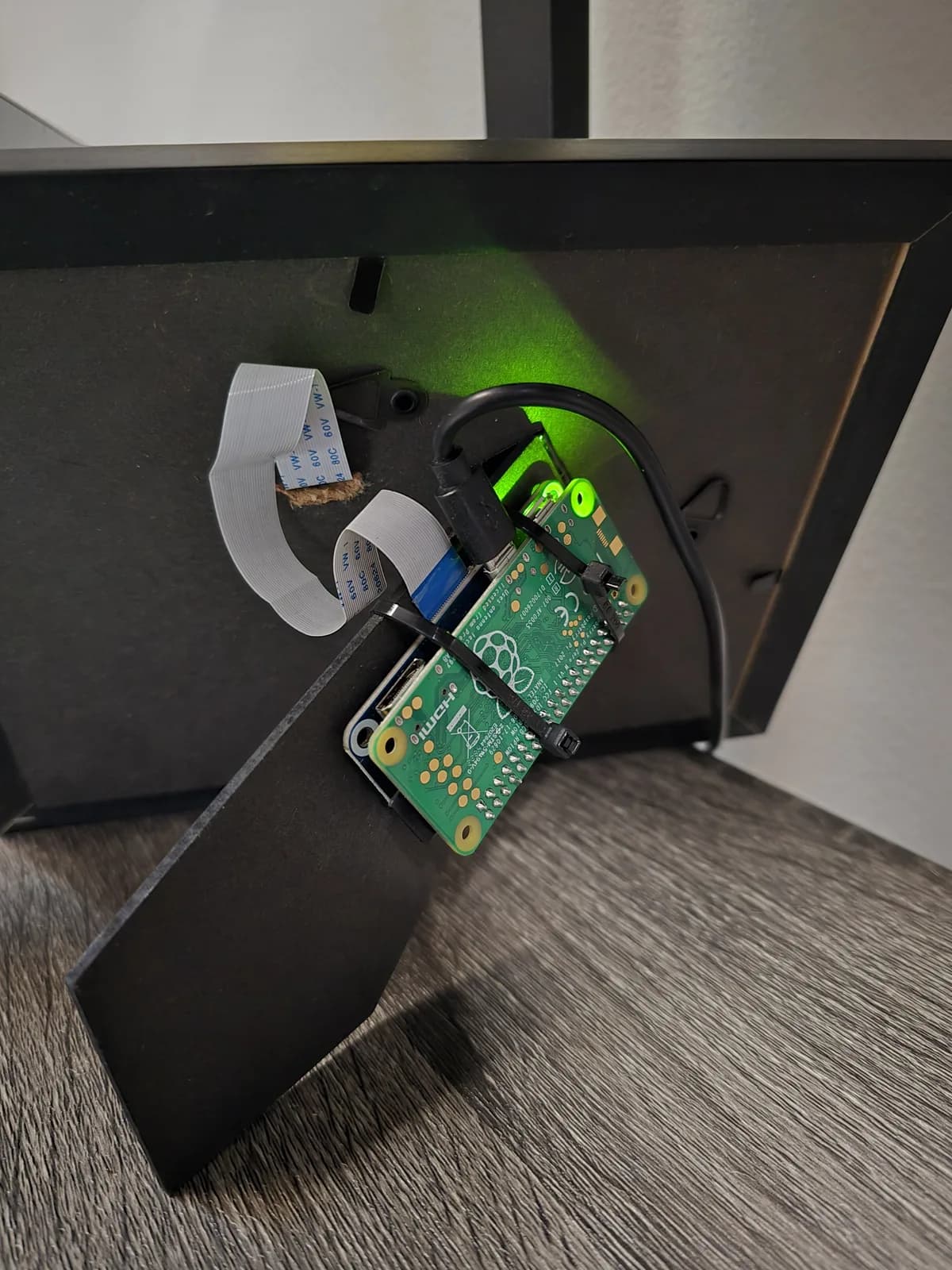
- Raspberry Pi Zero WH (pre-soldered headers required)
- Waveshare 7.5" E-Paper HAT (800x480, black/white)
- 5x7 photo frame (modified for component mounting)
- Standard GPIO ribbon connection
- 5V/2A power supply
API Requirements
- Waveshare EPD Python library for display control
- Google Calendar API (OAuth2 authentication)
- OpenWeatherMap API key (free tier sufficient)
- Football-data.org API token (free tier)
- Yahoo Finance API access (free)
- Python 3.7+ environment
System Architecture
Data aggregation occurs through multiple threads with varying refresh intervals:
- Calendar updates: 15-minute intervals
- Weather data: 60-minute intervals
- Market data: 15-minute intervals
- Sports updates: 1-day intervals
Display updates implement partial refresh for static elements while maintaining complete refresh cycles for critical data changes.
Interface Layout
Multi-section information display:
- Calendar (Top Left)
- 24-hour event horizon
- Time-sorted appointments
- Weather (Top Right)
- Current temperature/humidity
- Air quality metrics
- Short-term forecast
- MUFC fixture (Center Left)
- Upcoming PL fixture in local time
- Market Data (Bottom Left)
- Selected equity tickers
- Percentage changes
- Index tracking
- Tech Updates (Bottom Right)
- Tech news from TheVerge RSS feed.
Technical Constraints
- E-Ink refresh limitations: ~3-4 seconds/refresh, which is not terrible.
- API rate limits: Weather API calls are okay for personal use.
- Display artifacts: Managed through partial update scheduling
Optimization Targets
Current focus areas:
- Memory usage optimization
- Update cycle refinement
- Error handling improvements
- Display buffer optimization
Future data sections that I want to have
- Commute delays
- Local events
- Home automation status
- Personal fitness/health metrics dashboard
- Todo list integration
What other data sections would you be interested in?
Are you interested in building one? After refining some code sections, I hope to publish the code and accept pull requests. Once I do that, I will update this section.